WPLoadAnalyzer-AI
Find out if your website is getting faster or slower
Beta Access Now Available
There has always been a race between hackers and web security experts. Performance testing professionals are caught in the crossfire, since the same techniques used by hackers are the ones we use to configure test scripts.
OAUTH 2 is the de-facto authentication standard these days, and while thanks to Load Tester’s advanced editing it’s not too hard to configure a Load Tester script, there are a few extra steps you’ll need to take. Unfortunately there’s no automatic way of configuring a script since each implementation can be different. This article will show how to … Continue reading »
Recently Microsoft has been pushing their new Edge browser release by forcing users to start it upon login. If you want to start recording with Edge then Load Tester has you covered with just a few configuration steps.
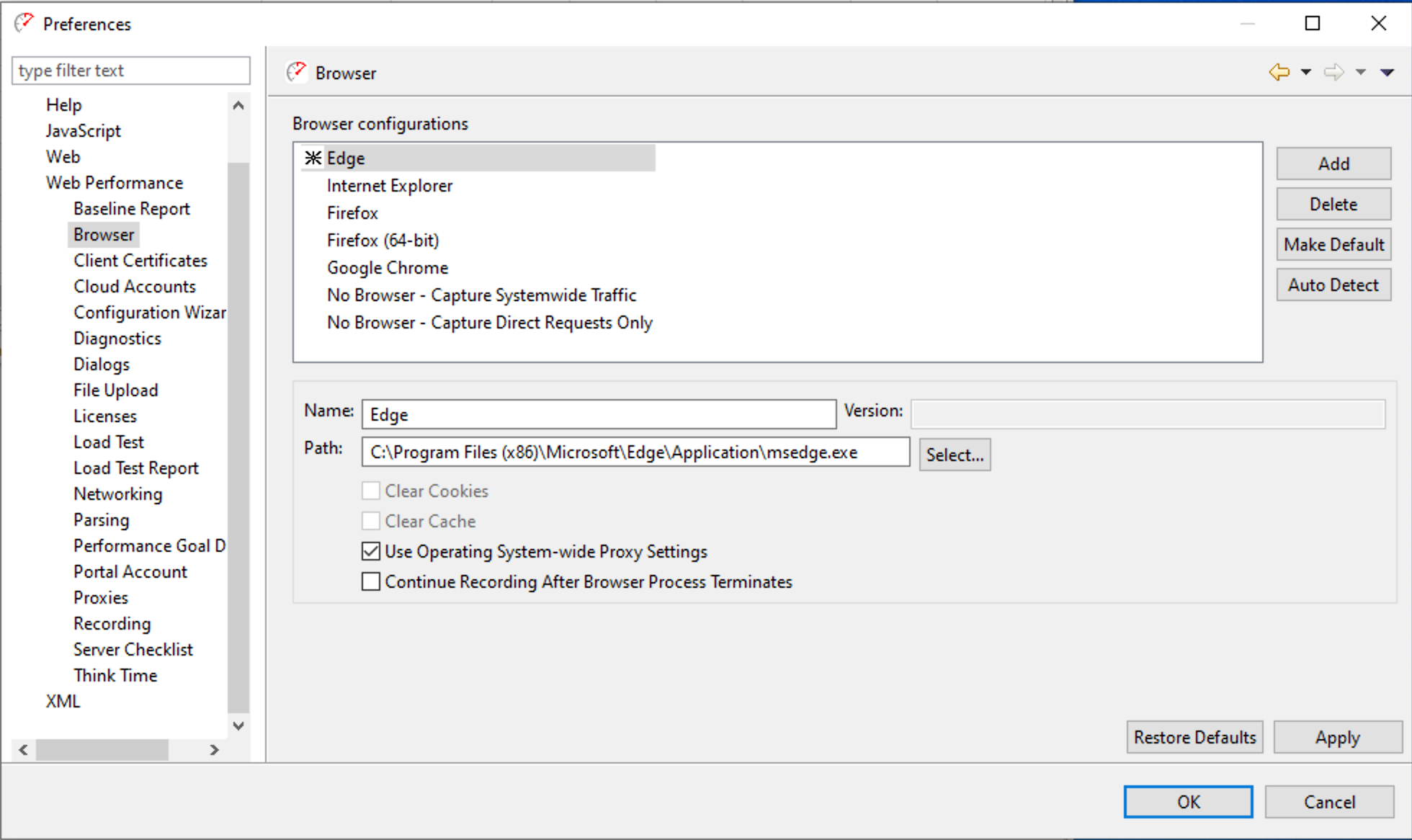
First, go to the Browser settings in Load Tester: Window->Preferences->Web Performance->Browser
Click the Add Button on the right and configure a new setting for Edge. The path is as shown above for Windows 10.
Be sure to check “Use Operating System-wide Proxy Settings”!
^^^^^^^^^^^^^^^^^^^^^^^^^^^^^^^^^^^^^^^^^^^^^^^^^^^^^^^^^^^^^^
Click Apply, and then OK.
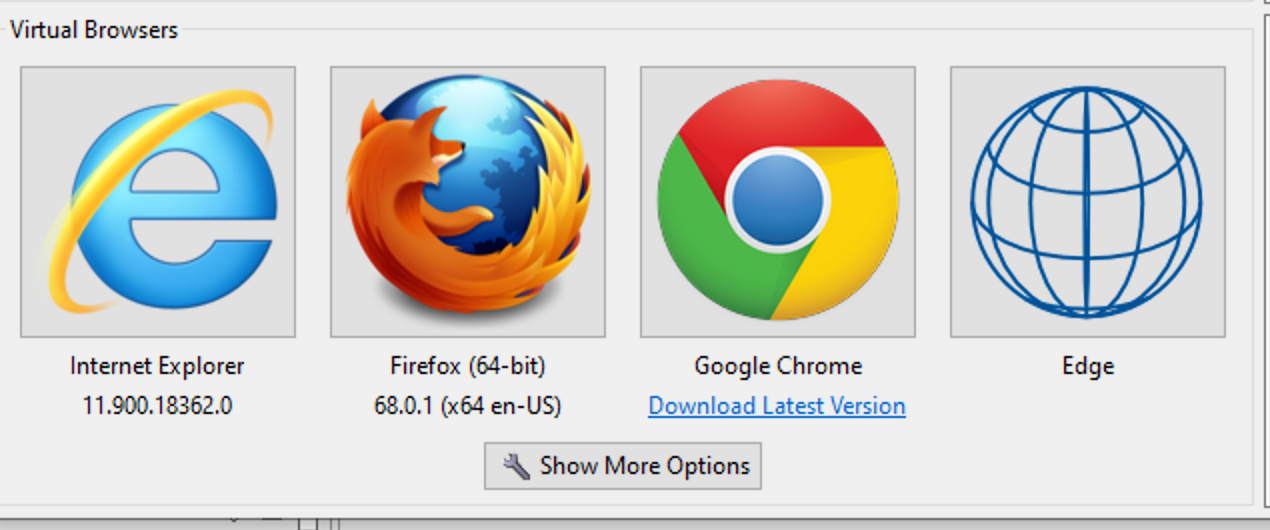
When recording you’ll now see a new option to record with Edge:
You’ll probably … Continue reading »
We recently had a customer question on how to dynamically generate UUIDs during a load test, and the answer illustrates two interesting techniques in Load Tester:
How to use javascript to dynamically generate data during a test.
How to make call outs to the more extensive Java functions within javascript.
In this example let’s assume the UUID is being used as a path element that you want to dynamically replace during a test like this:
http://mysite/path1/123e4567-e89b-12d3-a456-426614174000
Like much of the test case configuration in Load Tester, the process to edit the dynamic behavior starts in the Fields View. Click on the URL to select … Continue reading »
A method of authentication that has become more popular these days is bearer tokens, which require some additional configuration in Load Tester.
You can first tell if a website uses bearer tokens because the site will throw 404 errors when attempting a playback. Examing the headers will show a header entry called “Authorization” with the format shown below:
The value will appear one or more times. Some sites just set the value once, and others will try and set it on different parts of a website.
The first thing to do is find where the value appears using the Search Tab … Continue reading »
With the advent of AJAX and one-page applications, the concent of a “web page” as a single file with HTML is antiquated. A simple website where the user navigates from page to page has morphed into a web-based application, with complicated user interface elements that aren’t web pages in the traditional sense.
And yet for testing purposes, we need to separate the different stages of a workflow for a web-based application. In Load Tester, then, the concent of a “page” could be anything from a traditional HTML file to a single asynchronous AJAX call. The common denominator is each “page” is … Continue reading »
Over the past two years, my employer, Web Performance, Inc, has supported my
work on the Legion Load Testing Framework when my other duties permit. The result has been a very flexible suite of software that has given us the ability to take on work that would otherwise be beyond the scope of our usual tools.
That being said. Legion remains experimental. Legion may be most appropriate for the unusual edge cases: proprietary, eccentric, or unusual protocols, or project requirements that other tools can’t handle, or if you want to write your load test using your own Node.js client APIs.
Legion absolutely … Continue reading »
For Rowan University, ensuring that their students can get registered for classes is not an academic problem. If errors or system crashes prevent students from getting into the classes they need, it can have a serious impact on their academic careers, potentially even resulting in additional educational costs. So when the IT wizards at Rowan were planning significant upgrades to their hardware and the Banner 9 software from Ellucian to ensure the best possible experience for their students, they knew load testing was an essential part of the project.
We often receive questions about how Load Tester handles popup windows. In this post, I’ll describe how Load Tester handles these elements and provide a sample recording.
How does Load Tester Handle Popups?
Users do not regularly encounter popups. As a result, these windows may appear to function differently from regular browser windows.
However, when recording using a virtual browser, Load Tester records any calls to the server. Replaying a recording or running a test will replay those calls whether issued from a normal browser window or a popup.
NOTE: The following method is only applicable to “Virtual Browser” recordings.
Recording a Popup Window
1. On the … Continue reading »
Load Tester’s cloud load generation feature includes the ability to use datacenters located in different geographical regions.
This post contains detailed steps for adding an Amazon EC2 account and for running a new test configuration. These instructions apply to Web Performance Load Tester 6.6 and up. For Load Tester 6.5 and earlier, see Generating Load from Multiple Countries – Load Tester 6.5.
Why Load Test From Multiple Regions?
Generating load from different regions enables more realistic load tests. Rather than using just local datacenters, tests can simulate traffic from all over the world rather than just local datacenters.
This feature also allows testing … Continue reading »
Occasional load-testing tips, performance-engineering notes, and product updates. No spam — unsubscribe anytime.